Audience:
Operators
Export account holder data from the Dashboard
Export the account holder data available on your Dashboard as a .csv file.
Steps
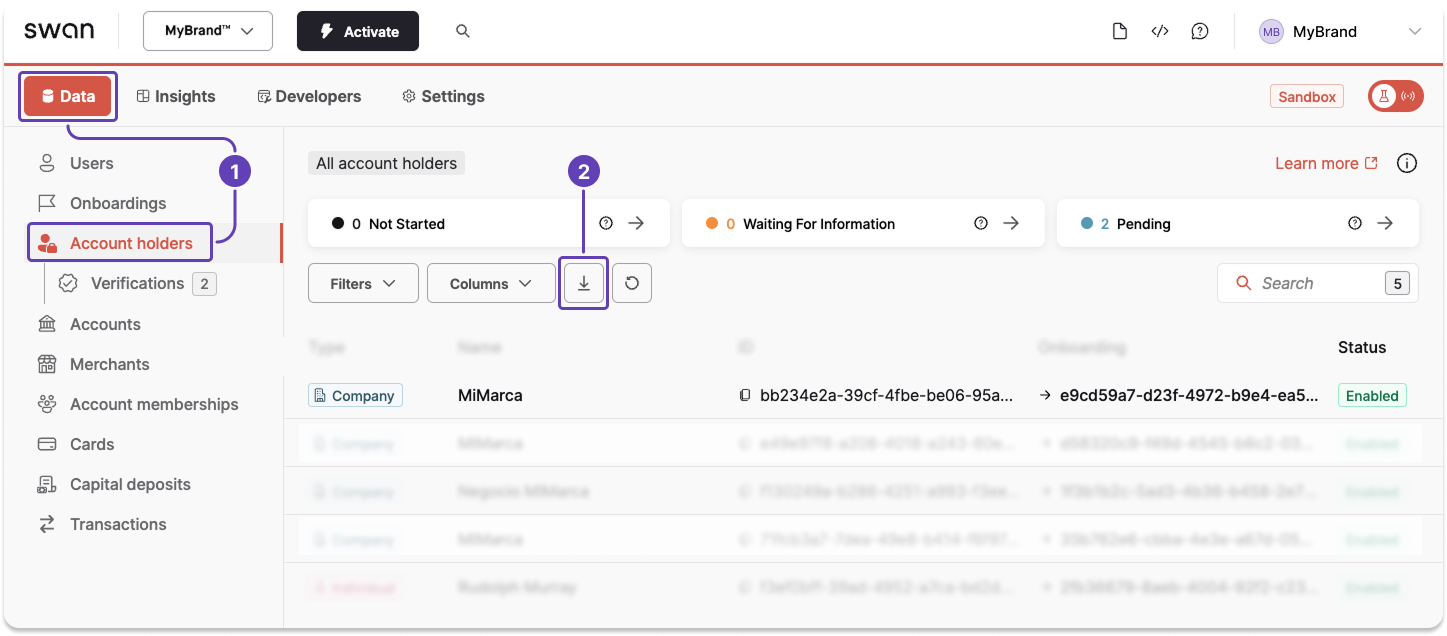
- On your Dashboard, go to Data > Account holders.
- Click the download icon to trigger a
.csvexport. - A modal appears. Click Export data to finalize the request.
After finalizing your export, a download link is sent to the email address you provided.
Also available
Export account holder dataUsing the API