Audience:
Card formats
Swan's three card formats, the order they're created in, and how cards attach to account members.
Card formats
Swan offers three card formats.
| Card formats | Description |
|---|---|
| Virtual | Swan's default, dematerialized cards. A virtual card must exist before creating a physical card or adding a card to a digital wallet. Virtual cards are also available in a single-use format. |
| Physical | Plastic payment card that can be used for point-of-sale transactions using swipe, chip and PIN, and contactless (EMV) methods, as well as for online transactions. |
| Digital | Digital format of a virtual or physical card. Swan cards can be digitized and added to Apple Wallet and Google Wallet for Near-Field Communication (NFC) payments. Other digital wallets aren't supported. |
Card statuses depend on the card format: refer to virtual, physical, and digital card statuses.
Creation order
Swan is virtual first (similar to digital first), meaning the priority is a user experience that doesn't depend on physical cards.
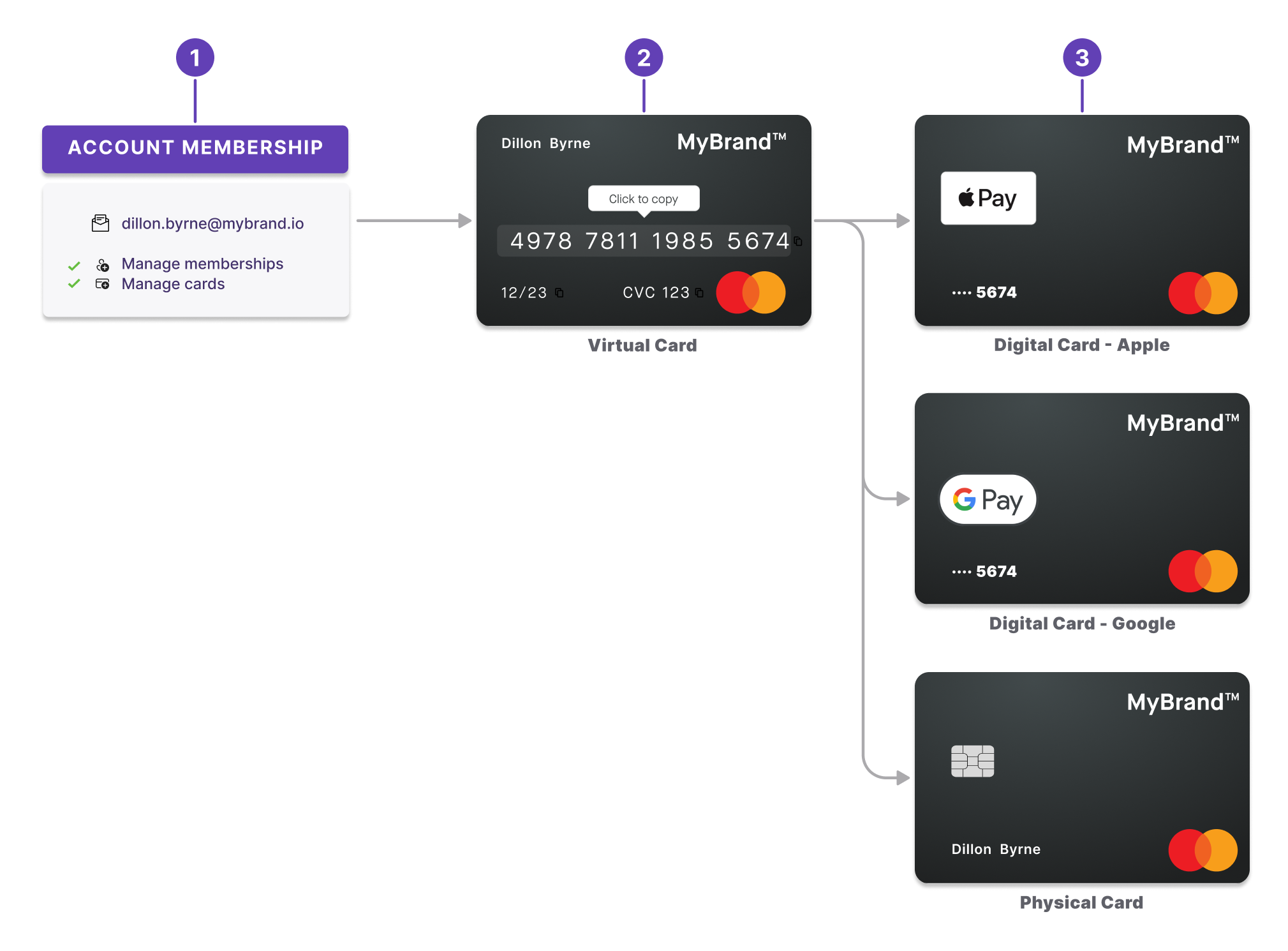
- Create account memberships before creating cards.
- Create virtual cards before physical cards.
- Create physical and digital cards. Physical cards aren't required to create digital cards. You can add a virtual card directly into your favorite digital wallet.
Consider the example of Kafka Tamura:
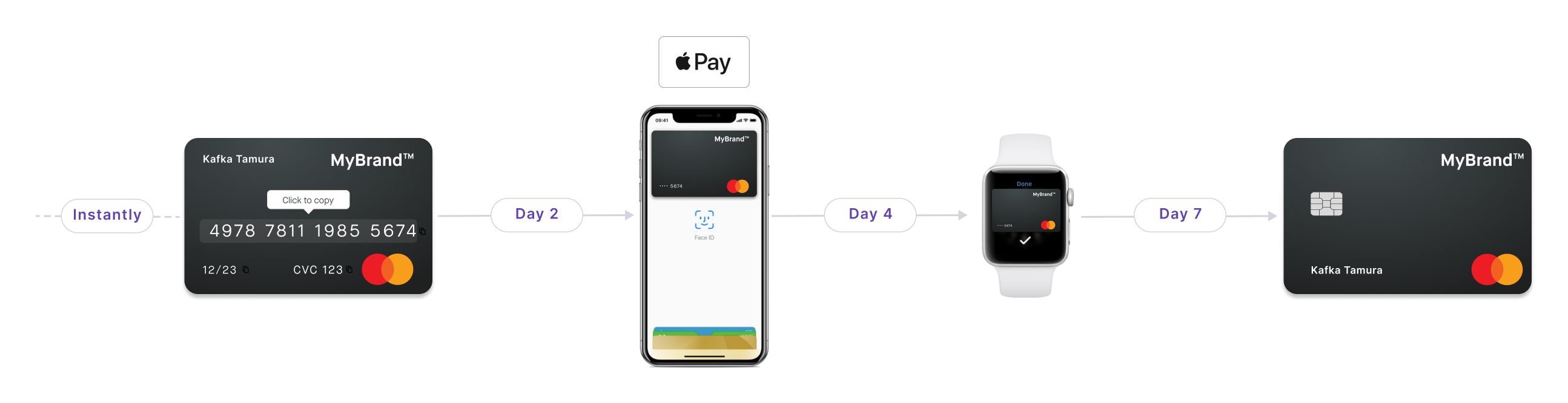
- Instantly: Kafka requests and receives a virtual card, usable right away for e-commerce transactions.
- Day 2: Kafka adds his virtual card to Apple Wallet, digitizing the card. He uses it to make contactless payments.
- Day 4: Kafka decides to add the virtual card to his Apple Watch as well.
- Day 7: Finally, Kafka decides to order a physical card, just in case.
API card types
There are three options for the API enum CardType.
These differ from the card formats for your users.
Virtual: only the default virtual card is issued for the card contract.VirtualAndPhysical: both a virtual and physical card are issued for the card contract.SingleUseVirtual: the card is a single-use virtual card.
Cards and account memberships
No matter how many members are attached to an account (1, 50, or 500), you can issue cards to each member. Every member has access to the same pot of money. Any payments made with the card are debited from the account the member belongs to.
So an account membership must be created before adding a card for an account member.
Account members can also add cards for themselves or other account members, determined by their membership permissions.
Multiple memberships, multiple cards
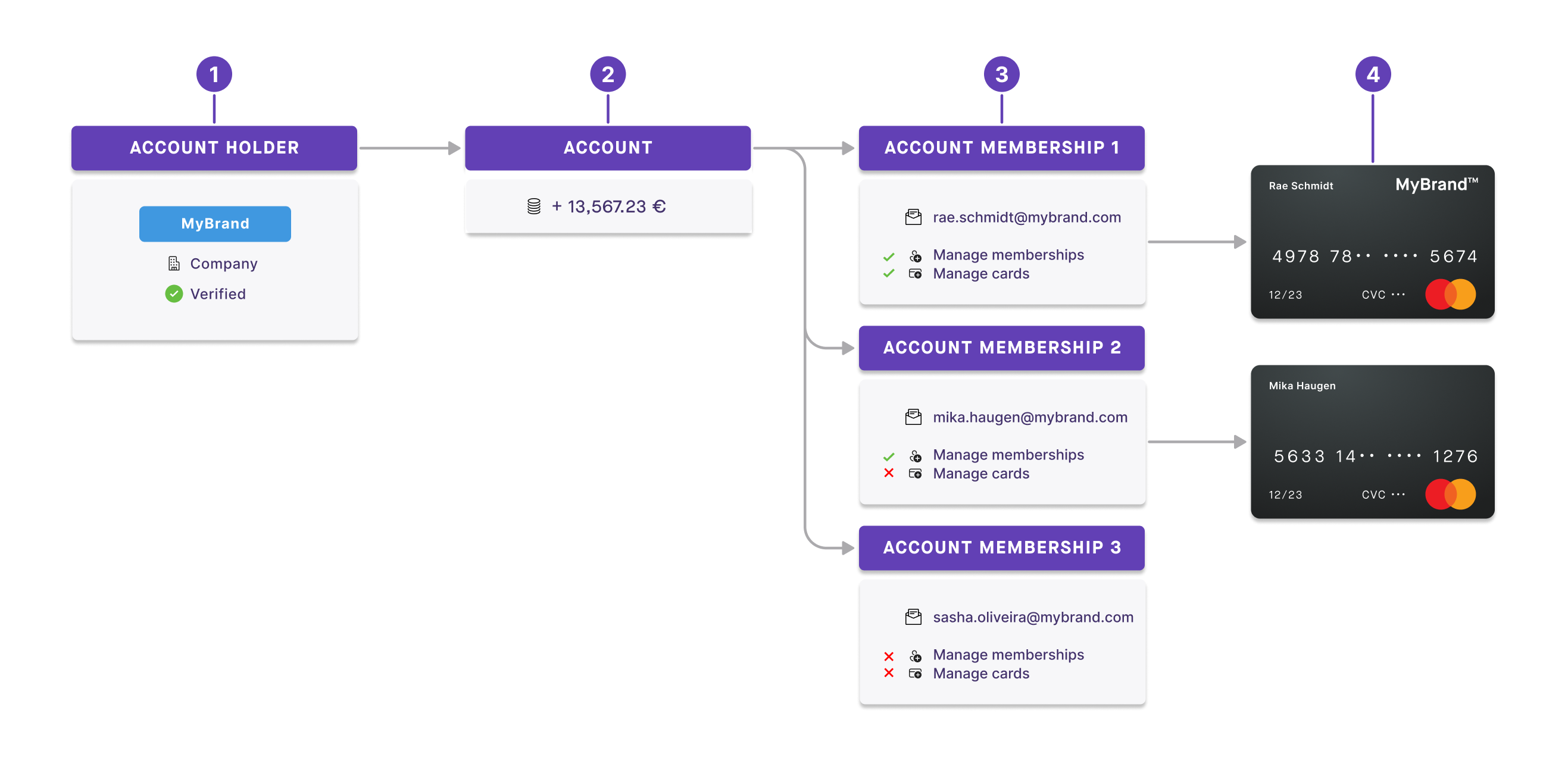
- MyBrand is a verified account holder with a company account.
- As an account holder, MyBrand has one account with money in it.
- Attached to the account are three account members: Rae, Mika, and Sasha.
- Each member is identified by their email address.
- They all have different permissions.
- Only two members, Rae and Mika, have cards associated with their account membership. Any money spent with these cards is taken from the MyBrand company account.
One membership, one card
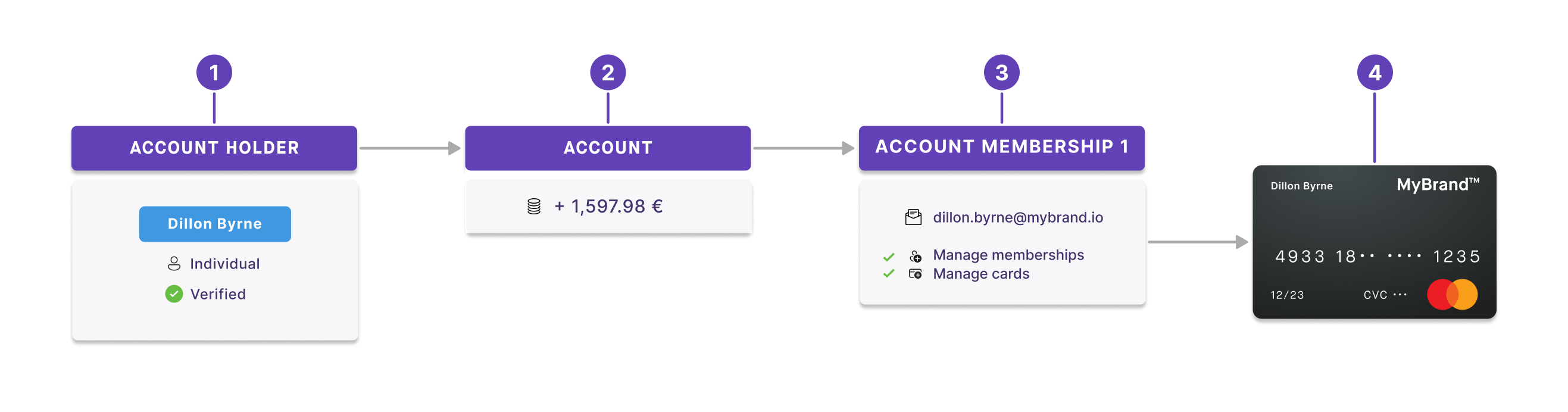
- Dillon is a verified account holder with an individual account.
- As an account holder, Dillon has one account with money in it.
- Dillon is the only account member, identified by her email address. She has membership and card permissions automatically.
- Dillon also has a card associated with her account membership.
Security and consent
To keep the cards you supply secure, all card-related mutations that initiate a sensitive action require consent. Review the list of all sensitive operations that require consent with Swan.