Audience:
Developers
Sandbox: identifications
Simulate creating and updating identifications for Sandbox users with the Dashboard's Event Simulator.
Prerequisites
Make sure you understand identification levels and processes.
Sandbox users
You can create, update, endorse, and delete Sandbox users with the Testing API. Refer to the example mutations on the Sandbox users page. You can only simulate an identification on Sandbox users who are linked to your project.
Simulate creating an identification
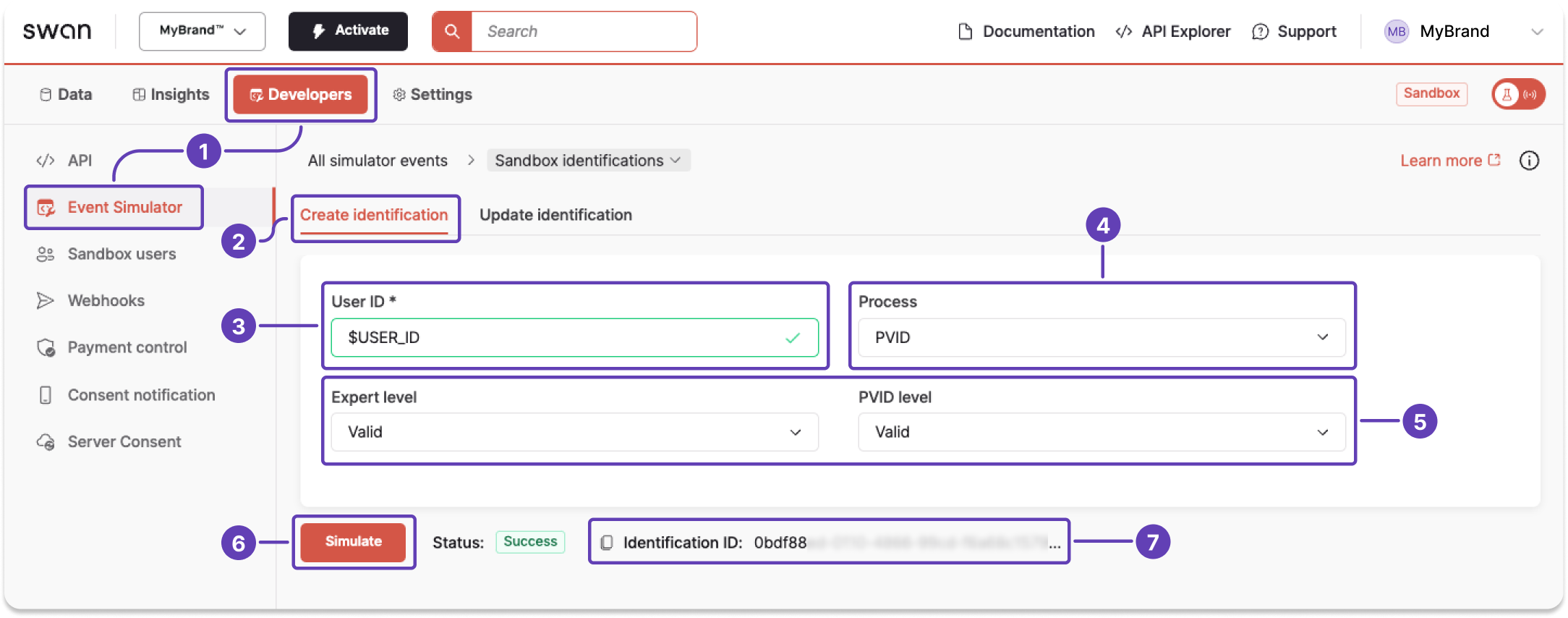
- On your Dashboard, go to Developers > Event Simulator.
- Open Sandbox identifications, then go to the Create identification tab.
- Enter the User ID.
- From the dropdown, choose the identification process you'd like to create.
- Notice if more level dropdowns appear.
- Choose the level for each process fulfilled by this identification.
- Reminder: Identification processes can fulfill requirements for multiple levels.
- Choose
Validto complete the identification. Choose a different status for testing purposes.
- Click Simulate.
- The simulator returns the identification ID.
Simulate updating an identification
You can only update your own user's identification level in the Sandbox. Simulating a change to another user's identification level is rejected.
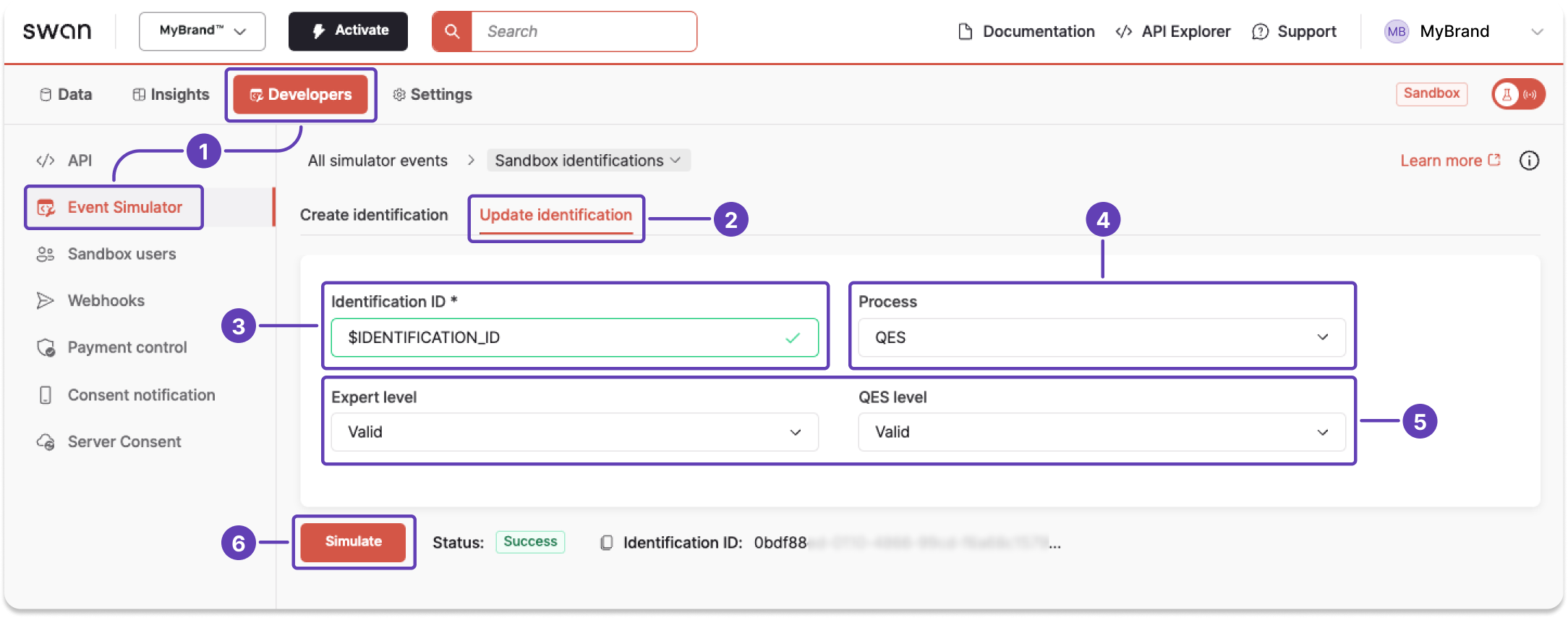
- On your Dashboard, go to Developers > Event Simulator.
- Open Sandbox identifications, then go to the Update identification tab.
- Enter the Identification ID.
- From the dropdown, choose the identification process you'd like to update.
- Notice if more level dropdowns appear.
- Choose the level for each process fulfilled by this identification.
- Reminder: Identification processes can fulfill requirements for multiple levels.
- Choose
Validto complete the identification. Choose a different status for testing purposes.
- Click Simulate.