Audience:
Operators
Get collection or document information from the Dashboard
Review information about a supporting document collection or an individual document on your Dashboard, for a transaction or an account onboarding.
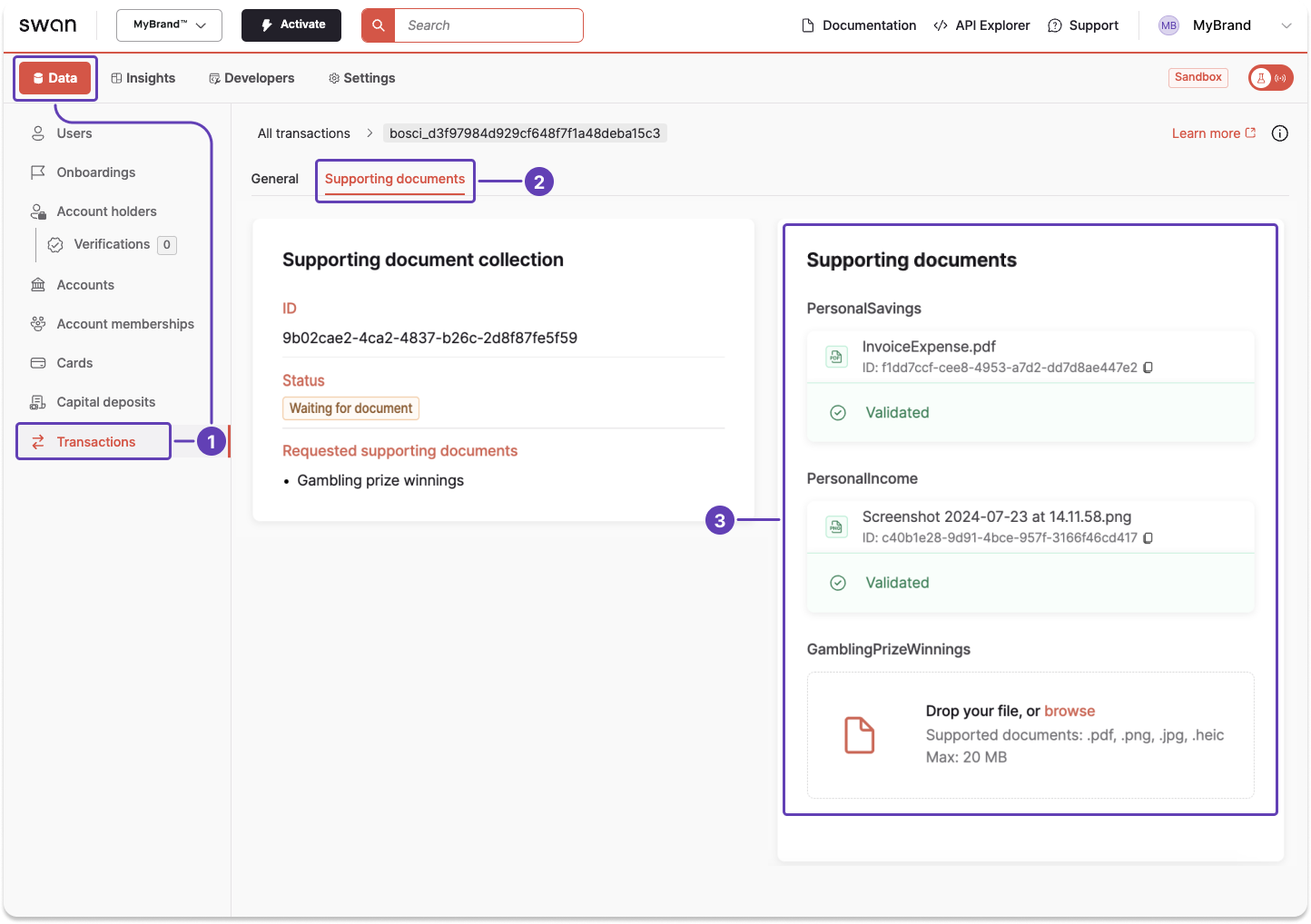
Transaction documents
Use the Dashboard to review information about a transaction document.
- Go to Data > Transactions.
- Open a transaction, then go to Supporting documents.
- Review all available information about your documents.
Onboarding documents
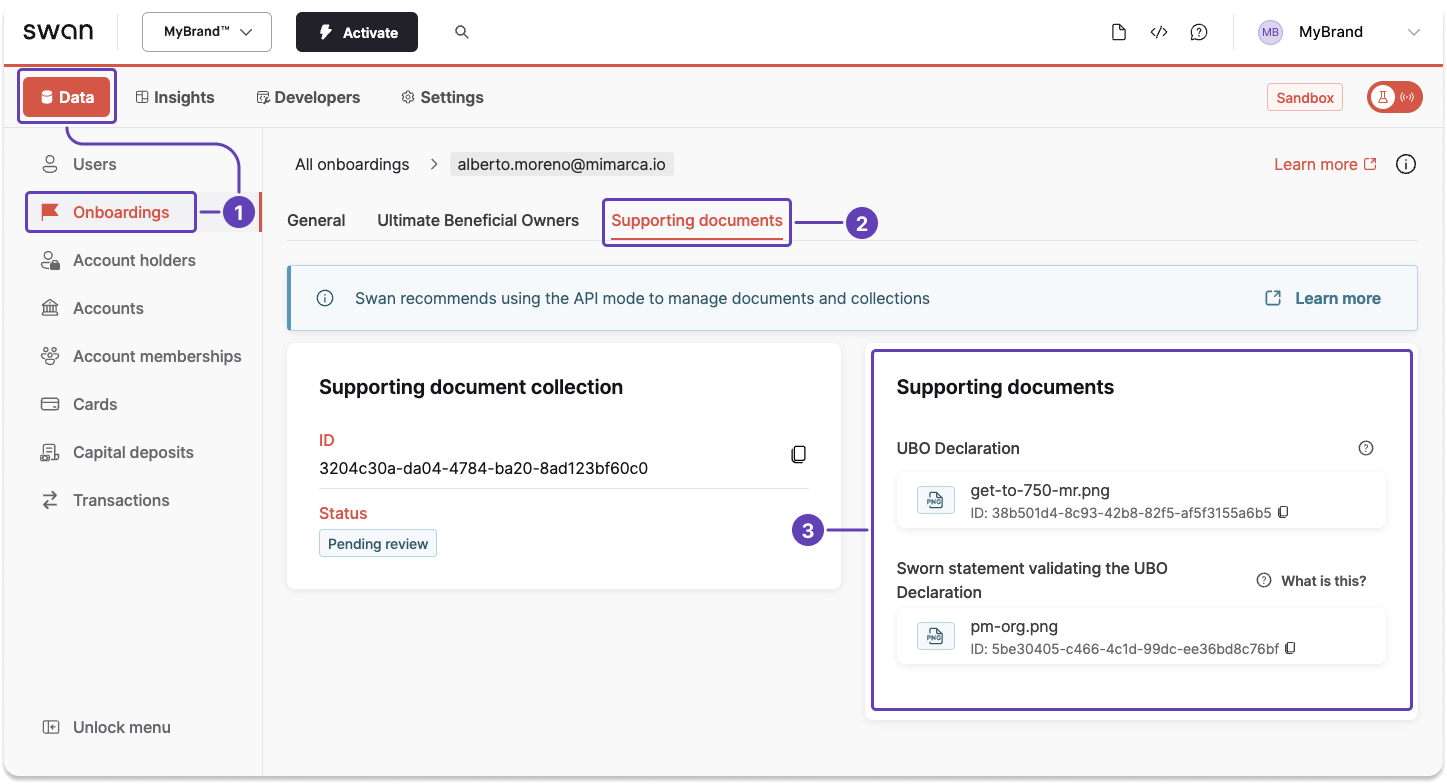
Use the Dashboard to review information about an onboarding document.
- Go to Data > Onboardings.
- Open an onboarding, then go to Supporting documents.
- Review all available information about your documents.
- To copy a document ID, scroll horizontally to locate the ID, then click it to copy.
When documents are needed, Swan displays an alert box in the same Supporting documents tab.
Also available
Get document informationUsing the API