Audience:
Operators
Get bank details from the Dashboard
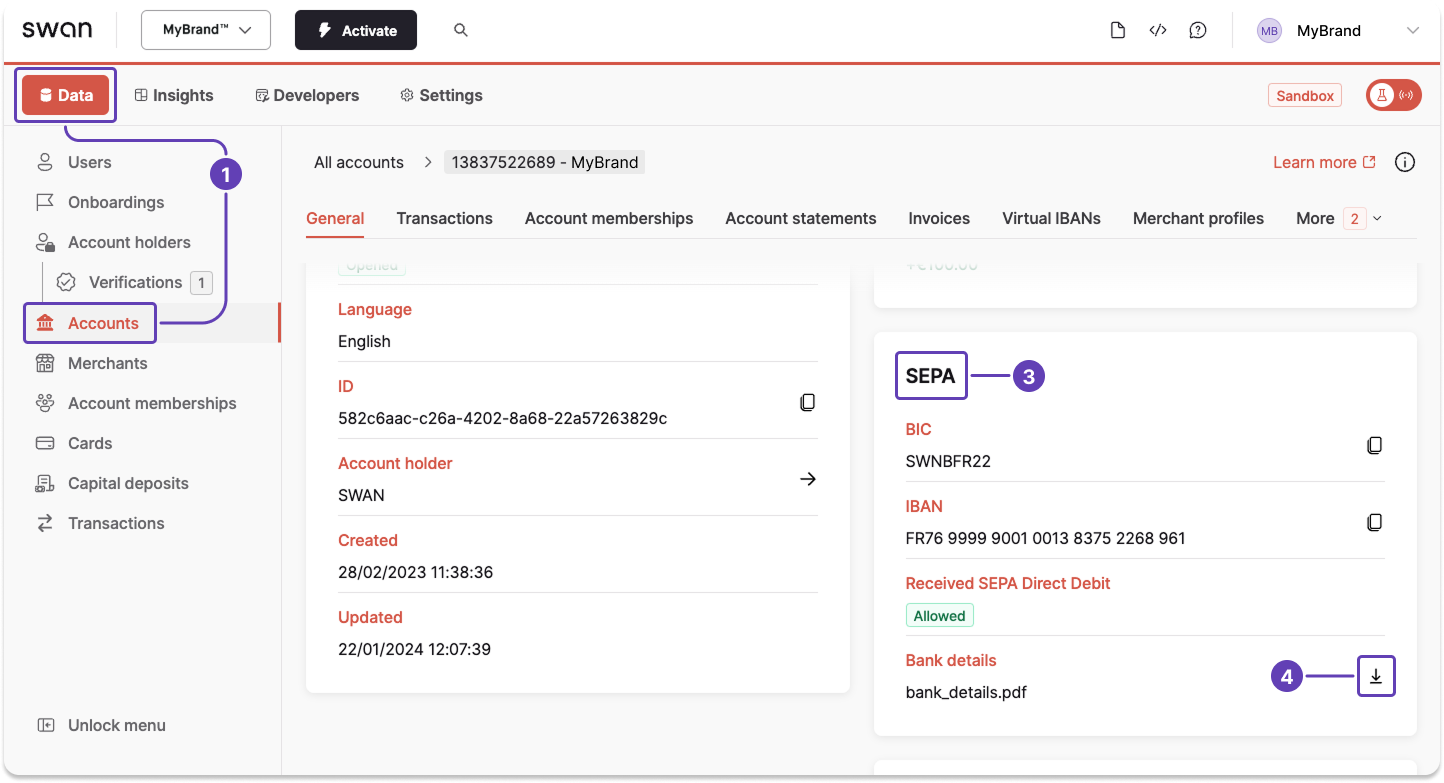
Download a PDF of an account's bank details for the main and virtual IBANs from your Dashboard.
Main IBAN
- Go to Dashboard > Data > Accounts.
- Open the account for which you want to download bank details (not pictured).
- Scroll vertically to the SEPA section.
- Click the download icon in the bank details row.
Virtual IBANs
note
It takes a few seconds after adding a virtual IBAN to be able to download the bank details PDF.
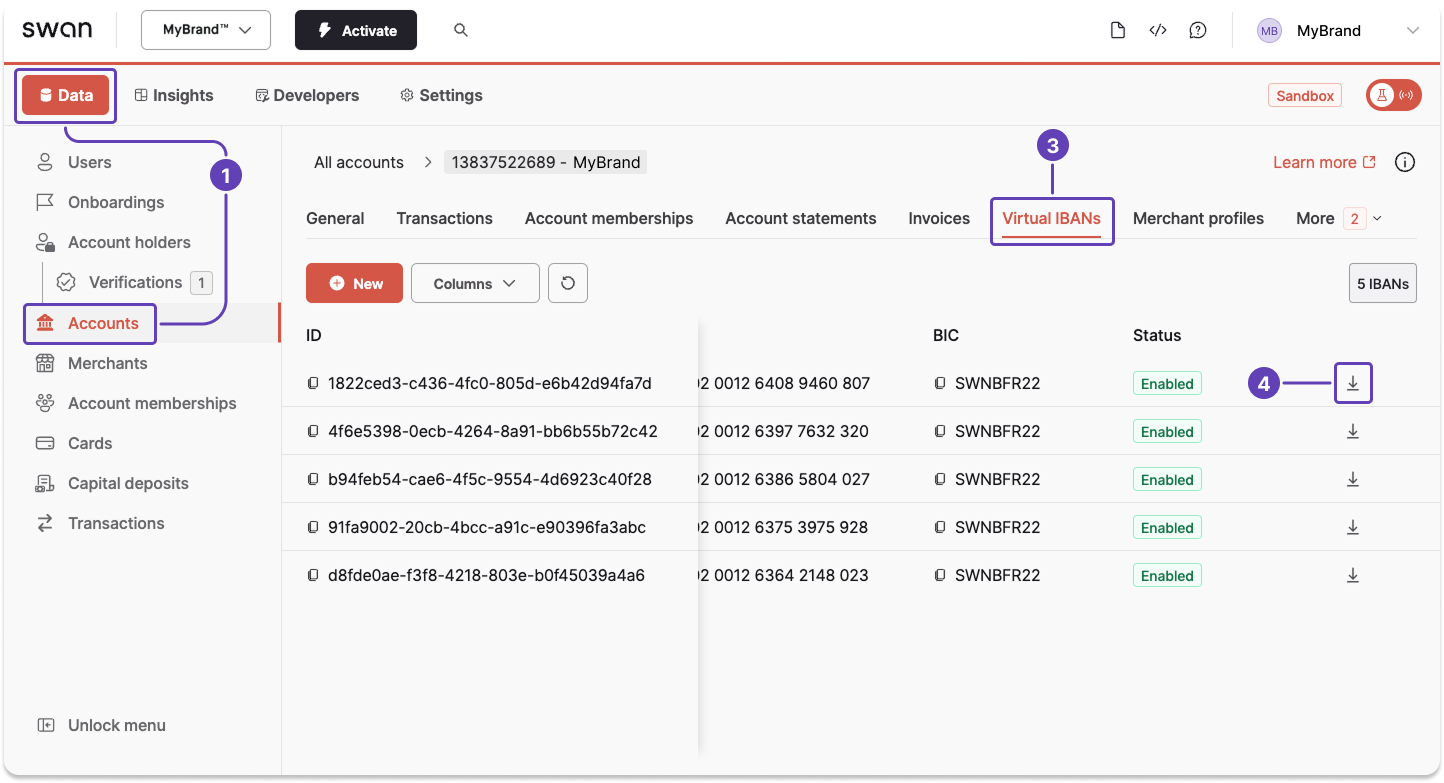
- Go to Dashboard > Data > Accounts.
- Open the account for which you want to download bank details (not pictured).
- Go to the Virtual IBANs tab.
- Scroll horizontally, then click the download icon for the desired virtual IBAN.
Also available
Get bank detailsUsing the API