Audience:
Update card settings from the Dashboard
Update your card settings, including the name, whether physical cards are allowed for this card product, and suspending the card product. You can also review and click-to-copy important information about the card product. For all available options, review the card settings reference.
Steps
-
Go to Dashboard > Settings > Cards, and click the card product you'd like to update.
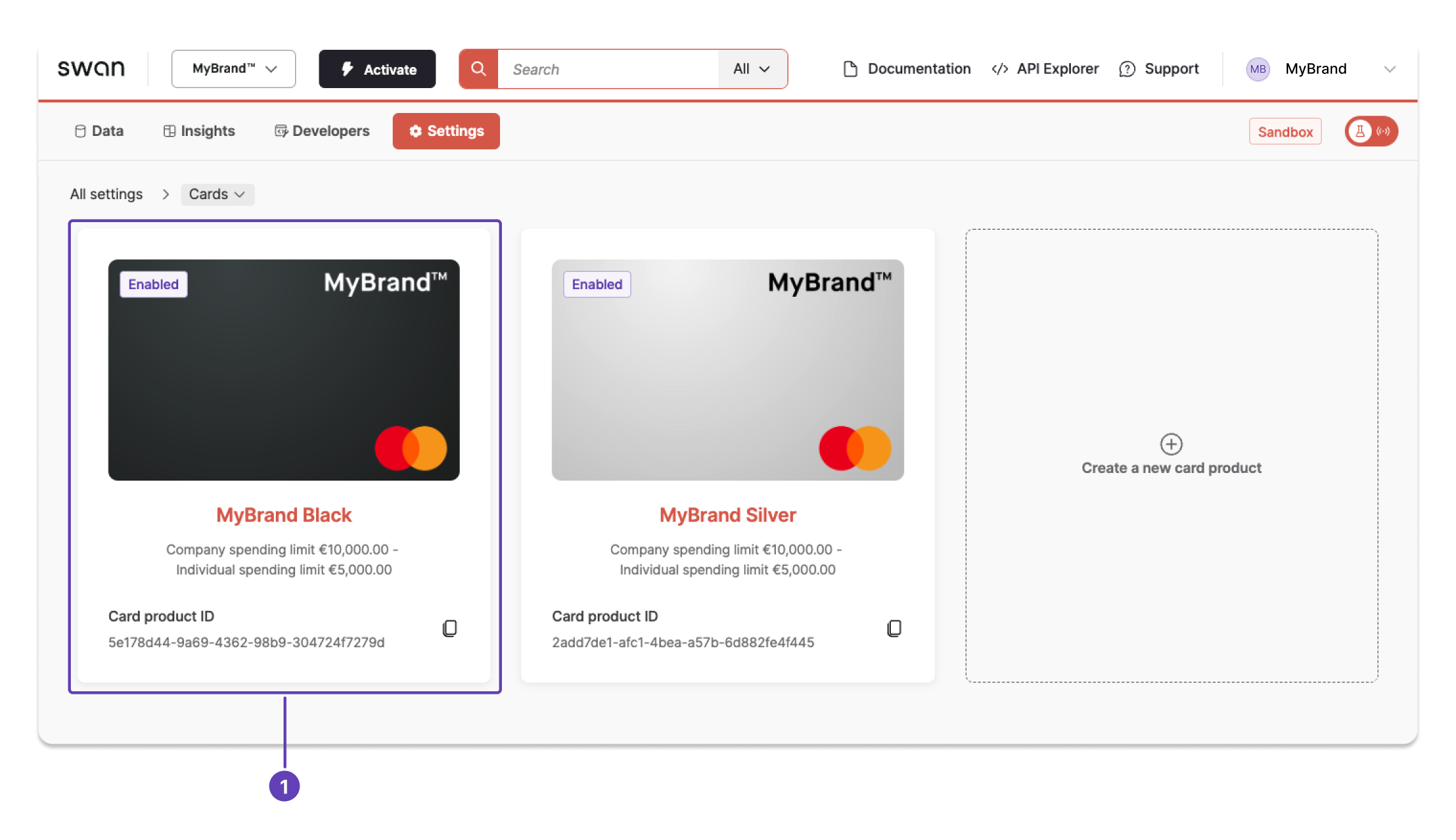
-
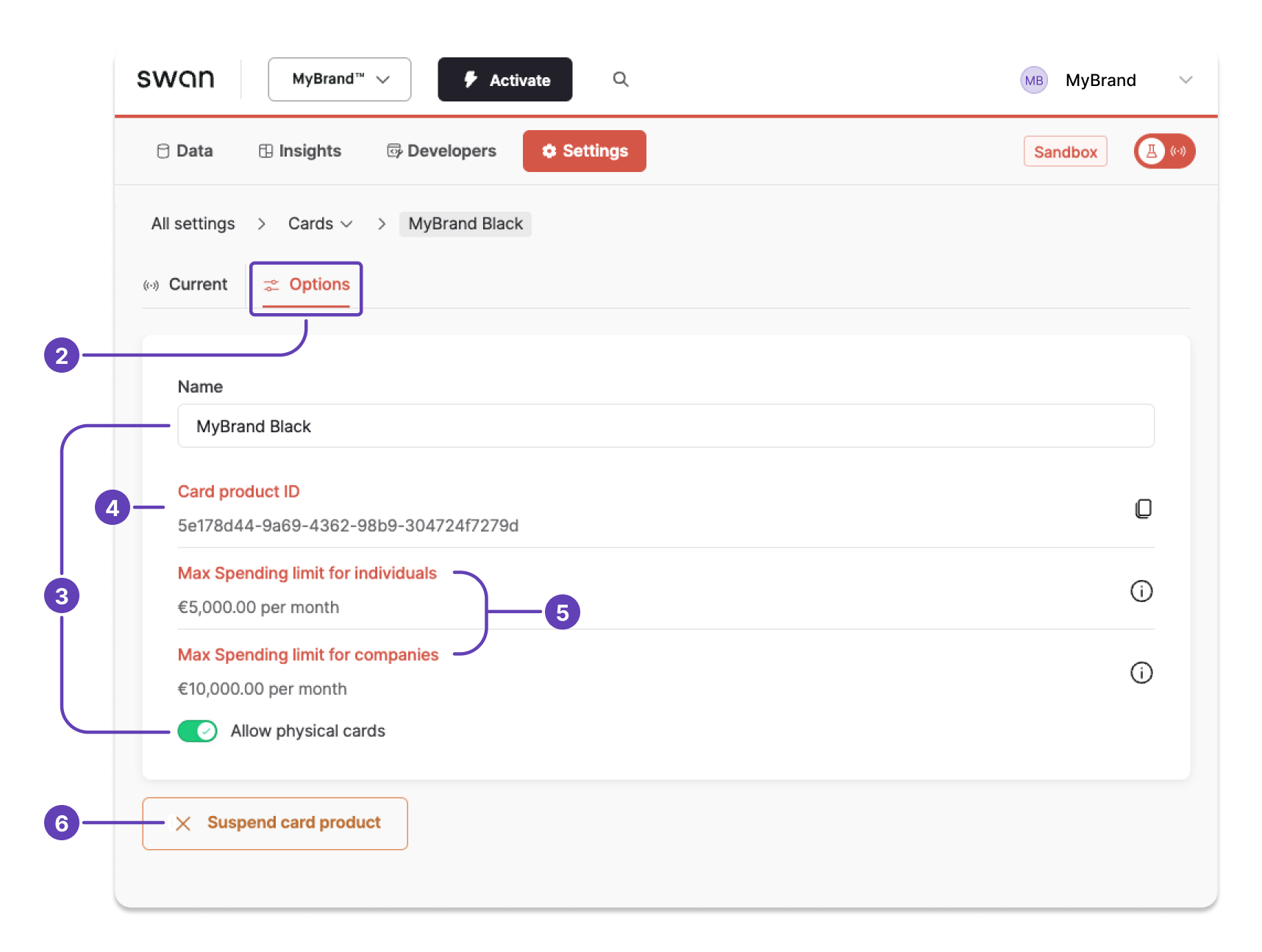
Open Options. The first tab, Current, is where you can update design settings.
-
Update the following options as needed. Changes are saved automatically.
- Card name.
- Whether you allow physical cards for this card product.
-
Click-to-copy the card product ID when you need it.
-
Review the spending limits for individuals and companies.
-
Click Suspend card product if you need to block this card product. Suspended card products can be reactivated by contacting Swan Support.
Also available
Update card settingsUsing the API