Audience:
Operators
Generate an account statement from the Dashboard
Generate an account statement for a custom time period from your Dashboard.
Steps
-
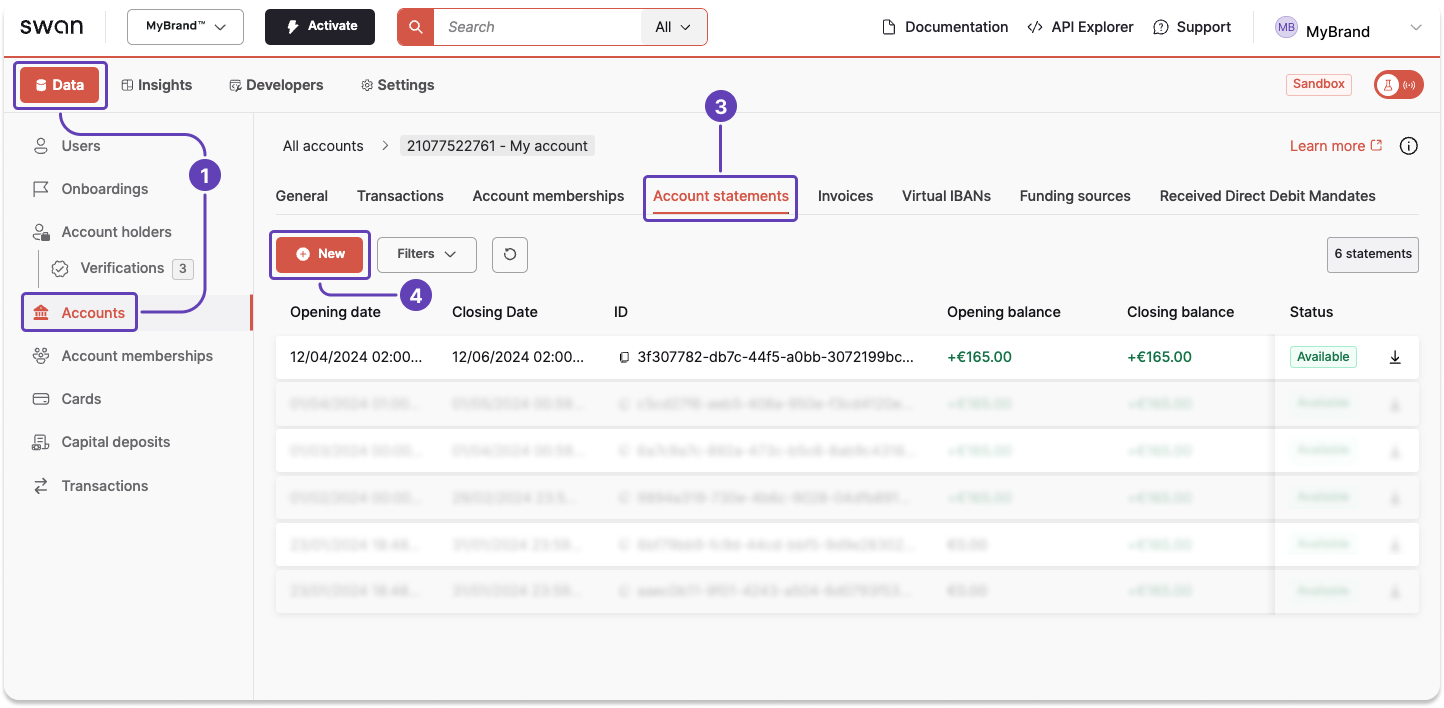
Go to Dashboard > Data > Accounts.
-
Open the account for which you want to generate a statement (not pictured).
-
Go to the Account statements tab.
-
Click + New.
-
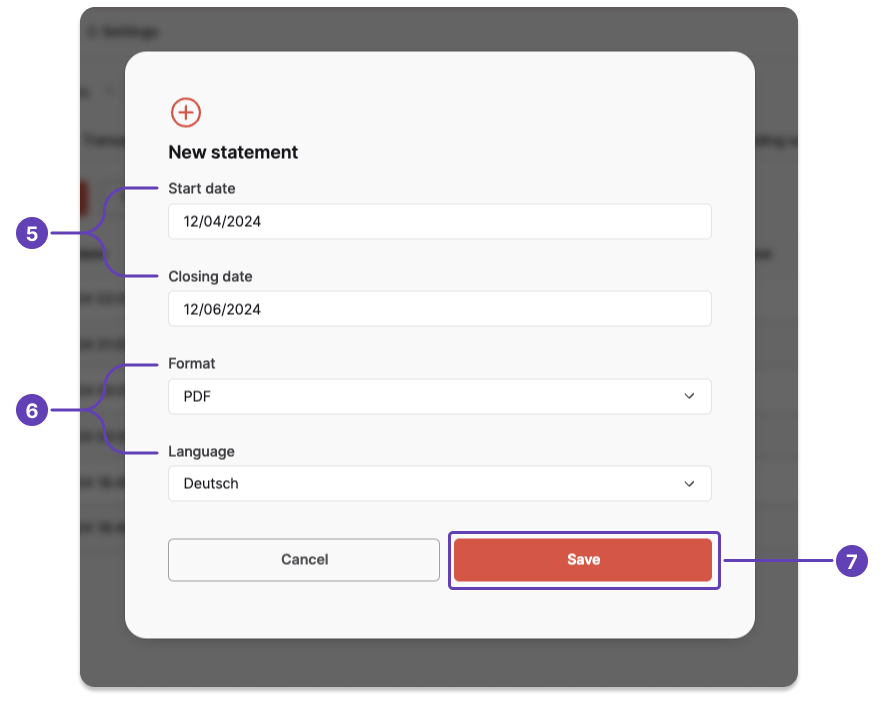
Enter the opening date and closing date. The time period can cover up to three months.
-
Choose the format and language.
-
Click Save.
Your new statement appears on your list of account statements with the status Pending.
After the status changes to Generated, you can download your statement.

Also available
Generate an account statementUsing the API